- Dubai, 2901 Prime Tower, Business Bay
- +971-58-200-5518 (the call is free)
- Mon-Sun 9.00 - 18.00
- [email protected]
- View on map

How to add new product ?
Adding a product to Hanooti Marketplace involves two main steps: creating the product and adding details.
Step 1: Create a product
1. Log In : Access your vendor account and select the "Products" tab from the left-side menu.
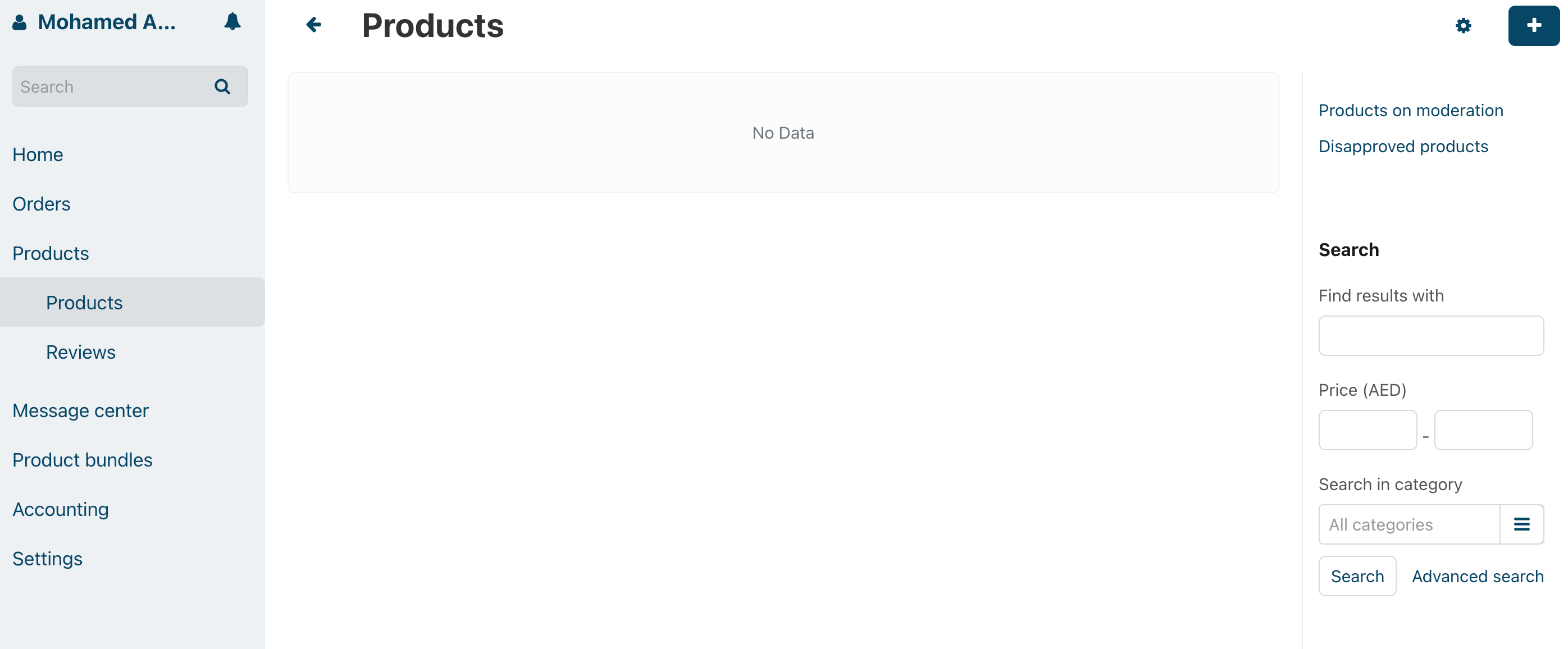
2. Add New Product : Click on the plus (+) sign located in the top right corner of the page.
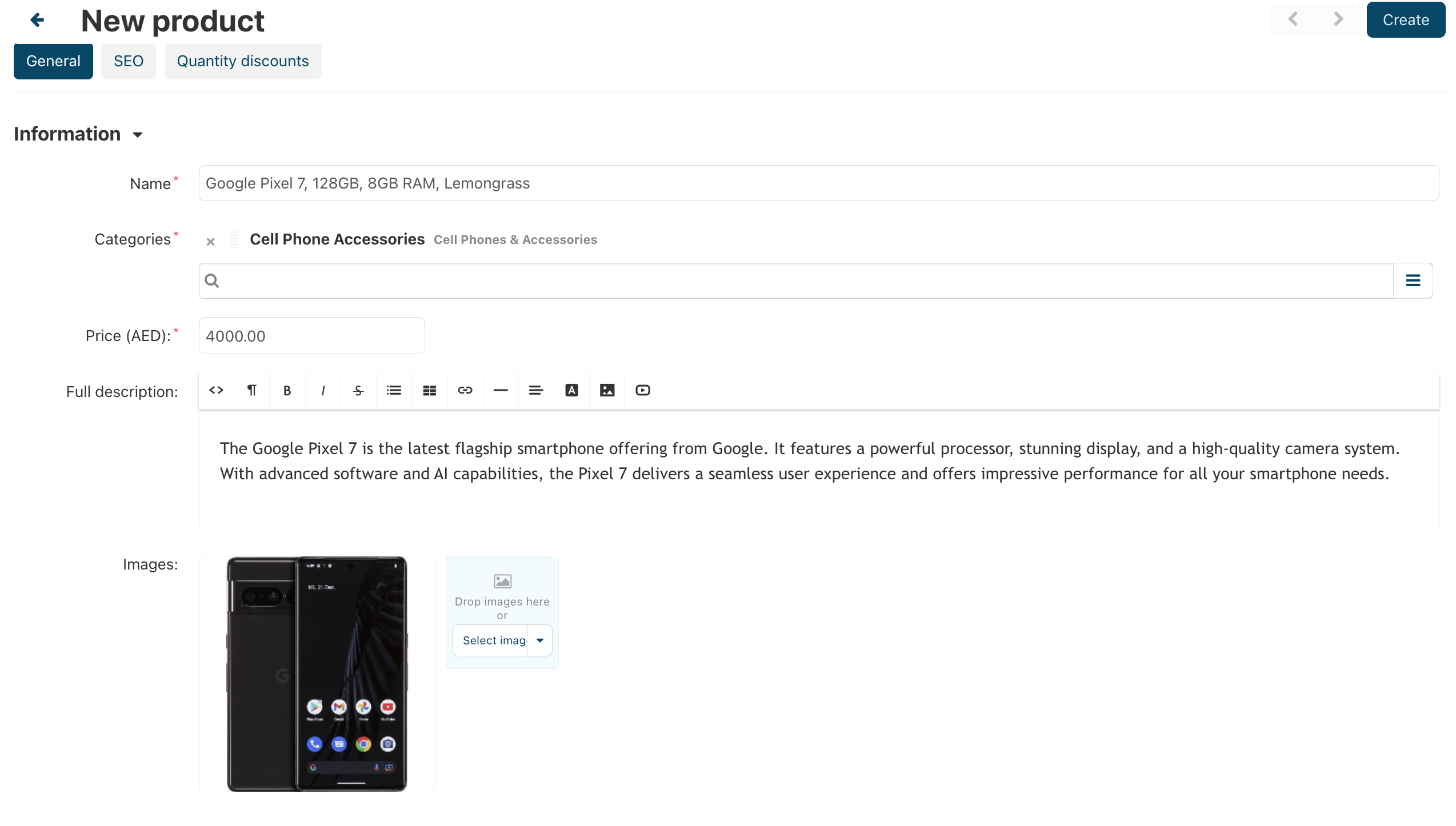
3. Product Name : Enter the name of your product.
4. Product Category : Select the appropriate product category from the list. You can choose multiple categories if applicable.
5. Product Price : Specify the product's price in AED. Ensure that the price is inclusive of VAT.
6. Product Description : Write a detailed product description. Providing more information will help customers better understand your product.
7. Product Images : Add high-quality images of your product. It's recommended to use images with a white background for better results.
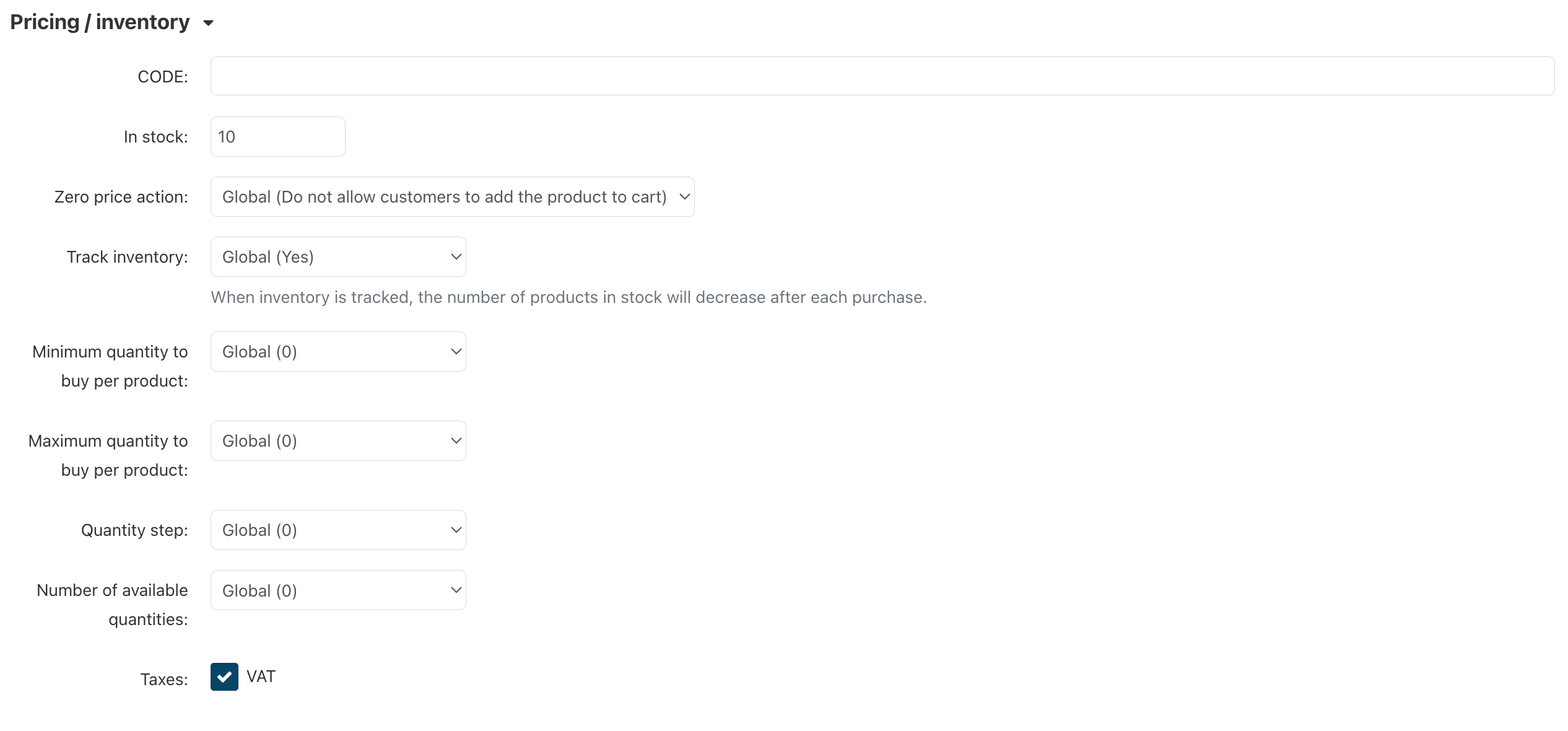
8. Pricing and Inventory:
a. Code : Leave this field empty; it will be generated automatically.
b. In Stock : Indicate the quantity of products you have in stock.
c. Track Inventory : Select "Yes."
d. Taxes : Ensure that VAT is checked.
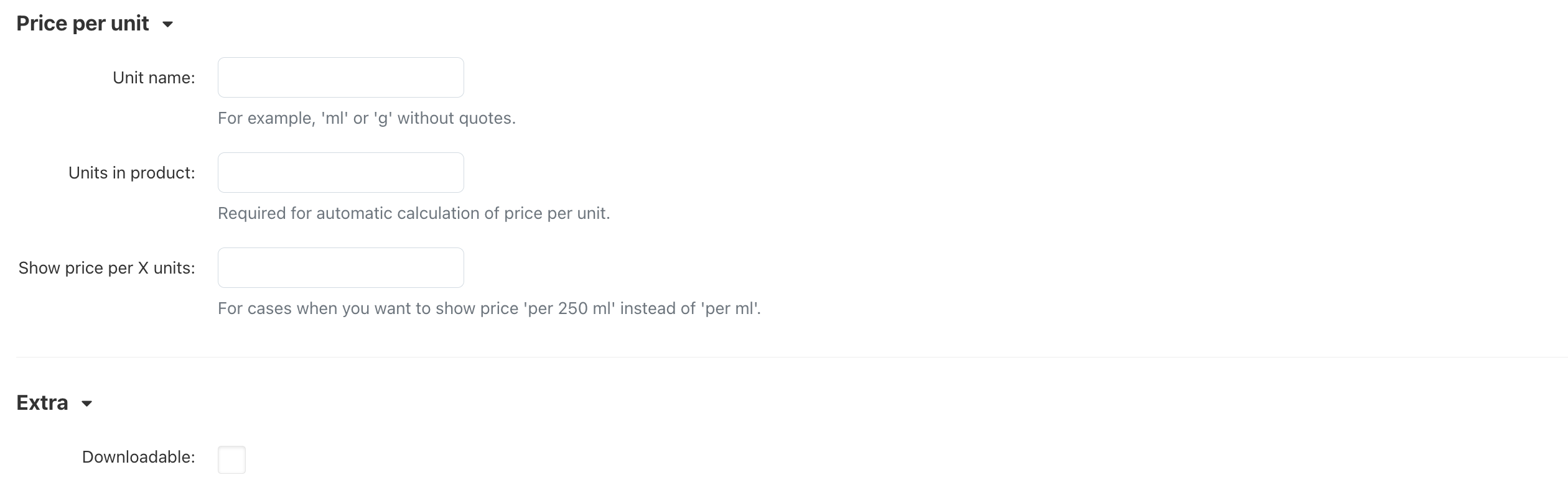
8. Create Product : Click the "Create" button located in the top right corner to create your product.
Step 2: Adding Details
After creating the product, you can add more details using the available tabs:
1. Shipping Information:
a. Ensure that you input the accurate product weight, including packaging.
b. If "Free Shipping" is checked, the product will be excluded from real-time shipping cost calculations.
c. Set "Items in Box" to 1 if there's only one item in the box.
d. Add the box dimensions in centimeters. It's crucial to have accurate dimensions for shipping calculations.

2. Product Features: In this section, you can specify specific product details such as the brand, color, size, and weight.
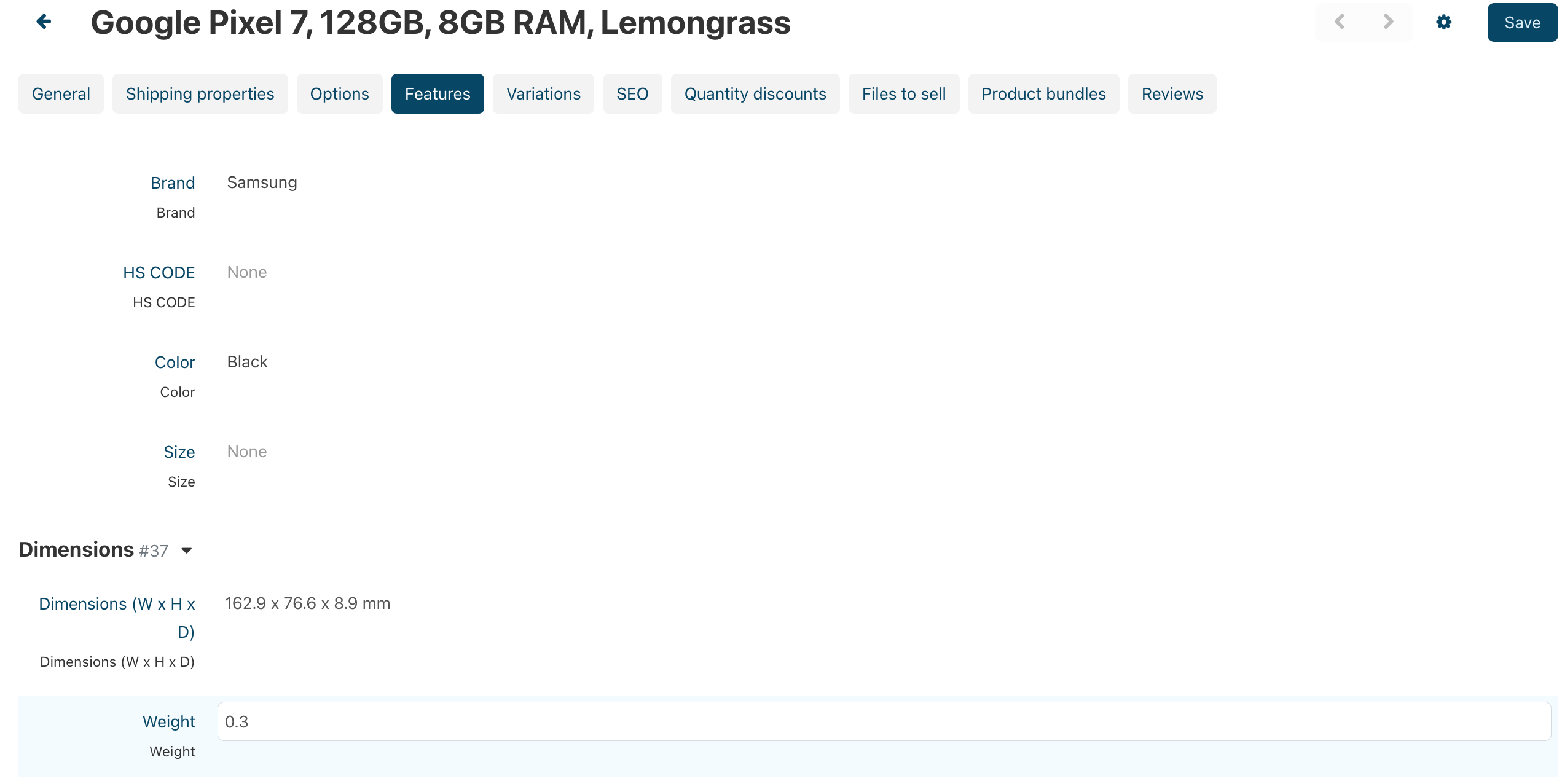
3. Save Changes: After adding the necessary details, save your changes. The product will be submitted for review by the Hanooti team before it goes online.
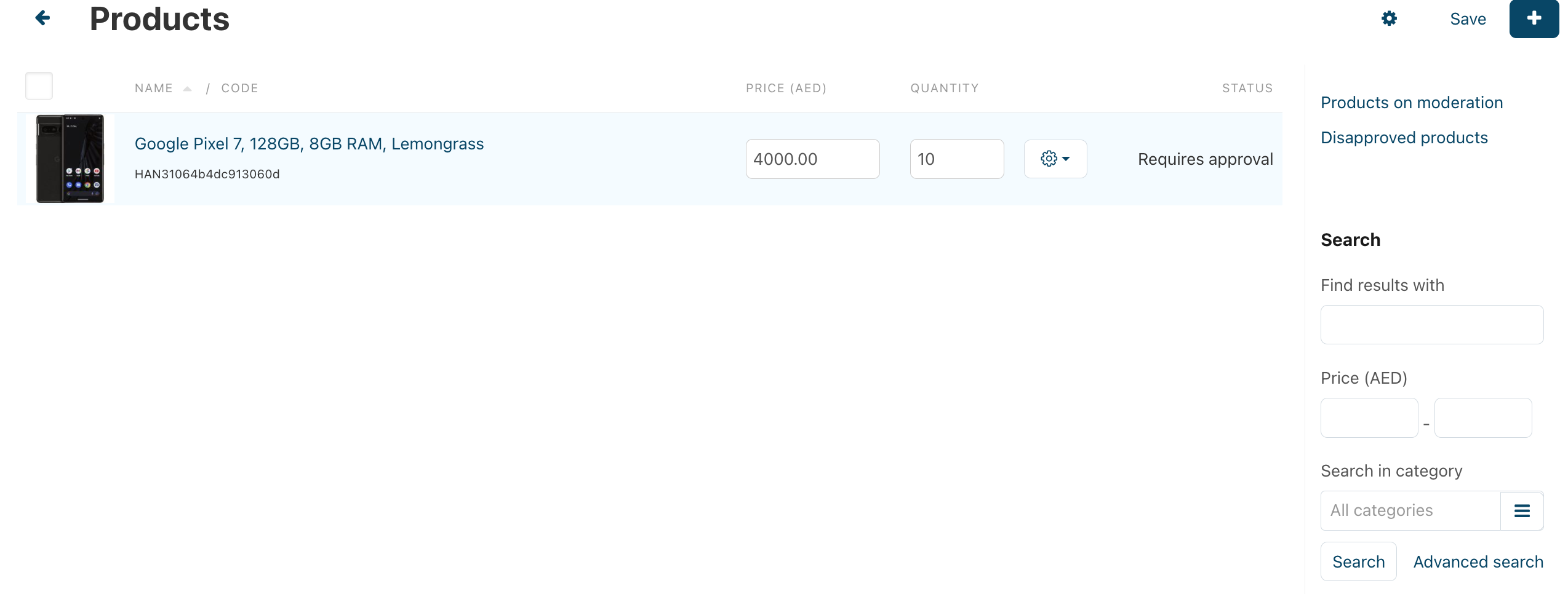
By following these steps, you can efficiently add your products to Hanooti Marketplace, ensuring that they are accurately represented and ready for sale to customers.
No posts found
Write a review© 2023 2025 hanooti.com by Hanooti